Showing posts with label social_network. Show all posts

Tuesday, April 28, 2015

I Know Where Your Cat Lives!

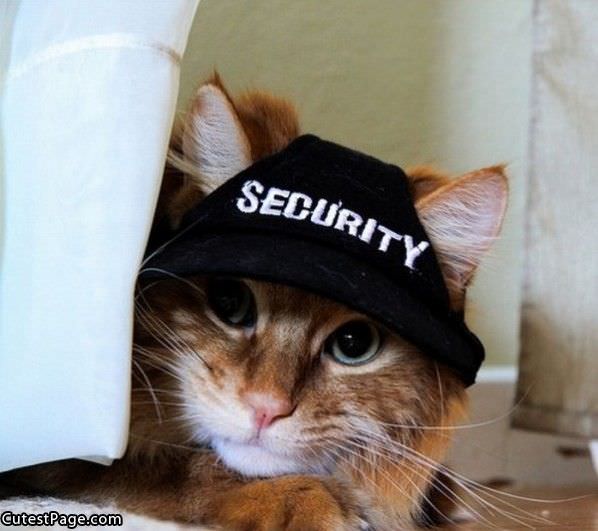
   Today's post brings together two of the most important, popular and topics online - security and privacy of your information on the Internet and... Cats!

   We know why the first topic is important.  I've written plenty about data breaches, keeping yourself safe online and how to decrease your exposure to identity fraud.  But cats?  Interestingly, the Internet has had a long fascination with cats.  And memes are everywhere starting with the early days of Lolcats and Keyboard Cat.  Disclaimer - I am not a cat person... I don't own any and am not a fan.  But I do like a good meme!

  Regardless of your pet of choice, we do care about our pets and they are often treated like members of the families.  And that includes... pictures.  If you do a search on cat pictures or pet pictures, you'll see plenty.  If you look on people's social network profiles, Facebook, Instagram, Pinterest, etc., there will be pet pictures all over the place.  You can even find them on "professional" sites like LinkedIn.

   Looping back to security and privacy... it's hard enough to keep your data safe when you're deciding what to share.  Many sites deal with the normal stuff - name, A/S/L, credit card numbers, and more.  You can enter this info to a site, or not.  But it's much harder when you don't realize that you are sharing data.  Or, put another way, how do you know when you're sharing more than you think you are.  There is hidden data and data sharing happening on the net everywhere.  For example, when you connect to a website, that connection creates a log that includes things like: your IP address, your browser type, your computer/phone/tablet operating system and other info.  The site may put a "tracking cookie" on your machine to help customize your experience while gathering more data.

   Then there's metadata.  This is data about data.  For example, when you take a picture with a digital camera or your phone, there is all kinds of additional data "attached" to that photo including: location, IP address, and timestamp.  There is also a great deal of extra visual information, other than the core subject in the photo including: views of your house, entrances, other people and surroundings.

   There is a fun and interesting website called "I Know Where Your Cat Lives".  They simply connect to photo sharing and social sites, grab cat photos, mine the metadata, connect the photo to a map, and create stats and charts.  Oh yes, and display cat photos!

   The lesson here is to pay attention to your digital surrounding.  When you take a picture, know what else is in that picture.  When upload a picture to a site, think about what data is going with that picture.  Most photo software gives you the ability to edit and alter most of the metadata.  Are you automatically uploading photos?

Tuesday, December 3, 2013

Is Your "Friend", Your Friend?

   An interesting topic came up the other day.  The question was whether to accept random social media
requests.  Does your "friend" need to be your friend?

   Your answer to that question might vary based on the social network and how you use that social network.

   There's also an important Security Awareness angle here.  Social networks can be a vector for malicious links, phishing attempts, malware and scams.  These malicious techniques often work better when the link/attachment/request comes from a "friend", rather than via a random email or connection.

Tuesday, November 26, 2013

Internet Safety... The Song Remains the Same

   As seems to often be the case in the fall, I'm doing a number of Internet Safety talks lately.  Maybe it's the tie-in with October US Cybersecurity month, and I did some posts celebrating that.  Maybe it's that fall makes us think about back to school (though maybe safety should be a "hotter" topic in the summer when kids have more free time!).

   I've been presenting to groups about Internet Safety and related topics for over 12 years.  I've got a few events coming up at work, so I'm updating my material.  I've got a number of talks on these "consumer" issues.  You can see my slides on my slideshare page.  I regularly update my material.  But what's really amazing to me is that the core, key messages have substantially remained the same.


   For example, I recently did a presentation and blog post on bullying.  The biggest change in online bullying in the past few years has been the news media attention.  But what happens, how it happens and options for victims, unfortunately, hasn't changed much.

   As I talk with people about these issues, and research and update my presentation material, I think there are 3 main areas in which things have substantially changed.
  1. The rise and expansion of social media.  In the early 2000's, we were talking about things like email, Chat like AOL Instant Messenger (AIM) and web surfing.  Xanga.com was around, but MySpace and Facebook weren't even invented until around 2003!  And, needless to say, there's been an explosion of social media sites with the latest trends favoring pictures and video.  While kids had the ability to share too much information since the beginning, social media sites really drove the norms.
  2. Technology.  In particular... mobile technology.  I used to recommend that families keep their computer (singular) in a common place like the family room or kitchen so kids' use could be seen.  While that is still good advice, most families have more than one computer.  And most teens, and many younger kids, carry a powerful computer with them wherever they go... their smartphone.  While we still have options available for monitoring, and good communication is key, portable devices are really a game-changer.
  3. Kids get it.  During my Internet Safety talks of the mid-2000's, we used to play a little game.  It was a live demo in which I would bring up a social media site, typically MySpace.  The game was to see how few clicks it would take us to get to some inappropriate content (like kids/teens sharing too much personal information or posting pictures parents would wish they didn't).  When I first started doing this demo it would only take a few clicks.  Then, by around 2008, it took more.  Then I would just save a few URLs of TMI pages.  Then I gave up the game altogether!  It's not that we can't still find inappropriate content, or examples of kids sharing far more than parents might want.  But kids are doing a much better job of protecting their information online.  Of course, kids, teens and young adults - actually digital natives in general - do have different ideas, definition and expectations of privacy compared to their parents!
    One final thought... another thing that has changed is that the oldest digital natives - people who do not know of a time without pervasive digital media and technology - are now having their own kids and showing up at Internet Safety talks!  But some things don't change and their kids still know more about technology!


   What surprises you about changes in our online world over the past decade?  What do you think has changed, or has not changed?

Tuesday, November 5, 2013

Cyberbullying - Improvements or More Problems?

   In addition to Cyber Security Awareness Month, October was also Cyberbullying Awareness Month.  There were a number of online campaigns to raise awareness on the topic including some high-profile pages on Facebook and Cartoon Network.

   This is an important topic and needs our attention.  I have given many presentations over the years on Internet Safety topics.  This past weekend my wife, a clinical psychologist, and I partnered on a presentation on Bullying and Cyberbullying at our local school district parent fair.  Here are the slides.

   Unfortunately, bullying has been around as long as there have been people.  The internet, social networks and mobile devices supplement have turned "old school" bullying into a 24x7 assault.

Tuesday, October 22, 2013

Online Self Defense - Don't Click!

   This week I'm presenting at the Cyber Security Summit in Minneapolis.  I hope to see you there!

   It's Cyber Security Month!  And the more things change, the more they stay the same.  The key advice for online self-defense I've given in the past is just as true now.  So to help us all celebrate, I'm "re-featuring" a few articles I've run in the past.


   This is the third post in my series on Online Self-Defense.  We've covered malware and passwords, two key issues effecting your online privacy and security.  If you've tried the simple tips I gave on those two subjects then you are now safer than most web surfers.

   Now, to keep you and your computer safe... don't click on that link!

Tuesday, September 3, 2013

Putting the Face in Facebook

   As can happen in a month whose name contains an "a", "e" or "u" :-), Facebook has once again made
changes to its privacy policy and practices.  And, as always we all have two choices: accept the changes (and adjust our settings and practices appropriately), or; leave Facebook.

   Of course most people won't leave Facebook, and if anything they will add more users than those that leave.

   As I look through the changes (see Facebook's notice here with links to the details), I think there are three things to know...

Tuesday, July 9, 2013

The More Things Change...

   As the saying goes... the more they stay the same.  In our ever-changing world of technology and security, it always amazes me how things often don't change!

   Let me clarify... there's always a totally new technology, programming language or social network to learn. Of course, computing power has changed drastically.  Many of the techniques used by attackers to gain improper access to our information have changed.

   Though many have not.  And the advice we give to consumers and business users to protect themselves has not changed!   Consider...

Tuesday, October 23, 2012

Online Self Defense - Part 3 - Don't Click!

   This is the third post in my series on Online Self-Defense.  We've covered malware and passwords, two key issues effecting your online privacy and security.  If you've tried the simple tips I gave on those two subjects then you are now safer than most web surfers.

   Now, to keep you and your computer safe... don't click on that link!