Showing posts with label website. Show all posts

Tuesday, September 5, 2017

I Have Neither Read Nor Understood

   The site masthead starts out with the statement:“I have read and agree to the Terms” is the biggest lie on the web. We aim to fix that.

   This is the lead statement on the tosdr.org website.  tosdr is an acronym for "Terms of Service; Didn't Read".  It's a play on words (play on acronyms? :-)) of tl;dr, Too Long; Didn't Read.  tl;dr has been a term floating around the interwebs for many years.  It simply expresses a sentiment that many people can relate to... that we're busy, so when there is a long article, post, whitepaper, document, documentation, etc., we might just not read it.  That also leads to the idea of the tl;dr version, i.e. executive summary!

   Clearly, Terms of Service statements fit into this category.  They tend to be exceedingly long.  They are often written FLBL (For Lawyers, By Lawyers)! :-)  You see them all over the place... on your bank's website, on social media sites, when you sign up for just about any kind of service, and with just about every app you install.

   So, if no one reads them, what's the problem?  Like a contract, the Terms of Service or EULA (End User License Agreement) provides some very important information.  For example, it may cover:
  • how the app, website or company can use your personal data;
  • if the site can sell your data,
  • whether or not you own any content you upload (such as to a social media site);
  • how, when, how much you can use the app, service or website;
  • if the site can charge you money, either one time or ongoing;
  • if you have any rights to seek damages against the company if you don't like how they conduct business
  • and more...

Tuesday, April 19, 2016

Ad Where?

   The first website debuted on Dec. 20, 1990 at CERN in Switzerland.  And less than four years later, the first banner ad.  The idea was simple... if people are reading information on a website, why not hit them with an ad?  Media has traditionally been either for-pay or ad-supported and the model for the web included that.  Of course, back then people had no idea the extent to which other screens like laptops, tablets and smartphones, and binge-watching would displace traditional TV watching.

   And shortly after website ads arrived, so did the malware. Ad-ware, also called "malvertising", was born.

   There are a few different ways website ads can cause problems:
  • virus code in the ad itself - so clicking on the ad downloads or executes the malware
  • malicious code that executes based on a mouse action - such as clicking on a flash animation or even just moving your mouse over an ad (called a "drive-by download")
  • a link in the ad brings you to a different page that can have malware, asks for personal information or exploits your browser to grab information from another tab (kind of like phishing)
   You may ask... why would someone allow a virus in an ad on their site?  That's a great question.   The issue is that most sites don't have a direct relationship with the people creating the ads.  The way it typically works is that sites sell space on their pages to ad brokers, who resell that space either to someone wanting to place an ad, or even to other ad brokers.  And often the ads rotate.  It becomes pretty easy for crooks to insert malware into these ad spaces without detection.

   This led to the creation of ad blockers.  These are programs that work in your browser to block content from the 3rd party ad brokers.  There was a big controversy about this in 2015.  On one hand, websites that offer free content need to have a way to monetize.  On the other hand, web and banner ads are annoying, collect our information, and can contain malware.  Some businesses block ads on corporate systems as a way to cut down on malware... and it works.

   To fight back, some sites block people who block ads!

   And that's where things get interesting.

    Let's look at Forbes.com for example.  Many websites simply show their ads along with each page.  If the ads are blocked, then those parts of the pages just don't load, or show a broken image icon.  But when you go to the Forbes website, you first see a welcome page that counts down until you can click to the main page.  While that is happening, the page loads hundreds of those 3rd party ad sites.

   And earlier this year, the Forbes site was serving malware through ads!

   So there's the bind... allow sites to display their ads, including those full sites that only display if ads are allowed; or open the enterprise to malware!

   But shouldn't the responsibility for this malware be with the website that displays the ads?  Shouldn't they test to make sure there isn't executable code in those ads?  I think so.

   I also understand that sites display content that is worth something and they deserve to be compensated.

   There are some compromises.  Some sites ask you to register to see additional content.  You are "paying" by providing information about yourself that they can sell.  Some sites charge nominal subscription fees (some sites charge high subscription fees!).

   There is perhaps some middle ground with Google Contributor.  With this consumer service you pay a nominal monthly fee.  Then google distributes that to sites based upon your usage patterns.

   What are your thoughts?  Is there a middle ground?  Should consumers have to pay for content?  Do we need to be bombarded with ads?  And who should be responsible when sites serve up malware or malicious links?

Wednesday, March 9, 2016

How To Vault (part 2)

   A few posts ago I wrote an overview of why you may want to use a password vault.  This was in answer to reader question to provide more specifics about vaults.

   We've talked about passwords and password vaults a number of times in the past including here, here and here.

   If you haven't read part 1 of this discussion, it's here.

   Hopefully you are now convinced that you should be using a password vault, also called a password manager.  Now what...?

Products & Costs.
   A few years ago there were just a few key players in this field, but the list of products has grown and there are a number of good choices.  I'll briefly mention four of the best known and provide some links where you can get more info.
  • LastPass - the basic product is free.  It has most of the features you'd want, but the free version only supports use in a web browser.  If you want a mobile app and to support password fills in mobile apps then you need to get LastPass Premium, $1/month or $12/year.
  • DashLane - this is another very popular product.  It's free to download and use on any device.  However to have your passwords synced across devices, a very important feature, you need to use the Premium product which costs $40/year.
  • KeePass - this is well known and solid product.  It always has been free and is open source.  It was designed to support an exportable vault.  That means the primary way to use this tool is to keep it on a thumb drive and plug it in to the computer you use it on.  That can be either handy or inconvenient depending upon how many computers you have and how you do your work.  With KeePassX you can store the vault in free cloud storage like GoogleDrive, OneDrive, Dropbox, etc. and can connect with apps on mobile devices.
  • 1Password - many people like this product and consider it easy to use.  It's design is similar to KeePass in that it's basic use is on a single system and you can share your vault using free online cloud storage services.  It's free to download and there is a one-time license fee.  There is also mobile support and that requires a valid license.
   Here are a few review articles that go into more detail about the features of these, and some other, products.

Tuesday, September 1, 2015

The XORcist (aka Get Rid of Bad Encryption)

   I remember when the movie version of the Exorcist came out.  I was in high school and it was probably the scariest, most graphic movie released by that time.  Parents didn't want their kids to see it.  There were all kinds of media discussions about the potential detrimental effects to roller-skating Linda Blair, who played the possessed Regan.  It was a freaky movie, at least for it's day, though it was way surpassed in gore by the slasher movies of the 80s.

   I recently read the book (well, you know... audiobook!).  It's well written and I recommend it.  But it is graphic, and there's plenty that wasn't in the movie.

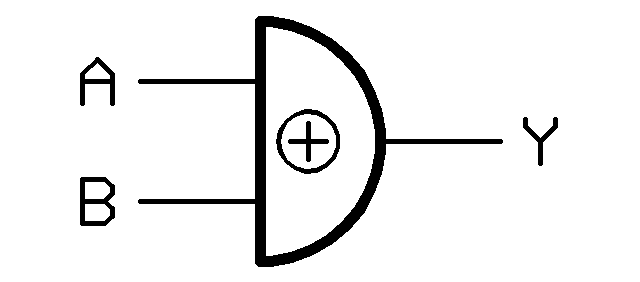
   Easily as scary is the way many systems and sites handle encryption!  For those who don't get the title... XOR is a basic mathematical function that all computers can do easily and quickly.  It's critical for computer operations, and is used in some encryption operations, but is not really a strong encryption method by itself.  If you want to learn more about XOR, look here or here.

   I've covered problems with passwords many times here.  One of the problems that has allowed password breaches to work is poor encryption of the password file.  XOR is not a strong encryption method!

   So what does this all mean?  I have two messages... one for programmers and one for everyone else.

   Programmers.  Don't invent your own encryption.  There are fantastic, freely available encryption routines out there that you can use in your code.  Or, your organization may already have standard encryption methods you can use.  Bottom line is that 2000 years of mathematics has led us to some pretty solid encryption algorithms.  Use them!  Friends don't let friends use bad encryption!  Here are some great references.

   Everyone else.  Password storage should use something we call a "one-way hash".  Not a tasty dish, but a method of encrypting data so it can't be decrypted.  That means that no one should be able to tell you your password!  So, if you call customer support or the help desk because you forgot your password, and they can tell you your actual password... run!


   Can you think of any examples of bad encryption?  Do you know of any websites that can show you a forgotten password?

Tuesday, March 31, 2015

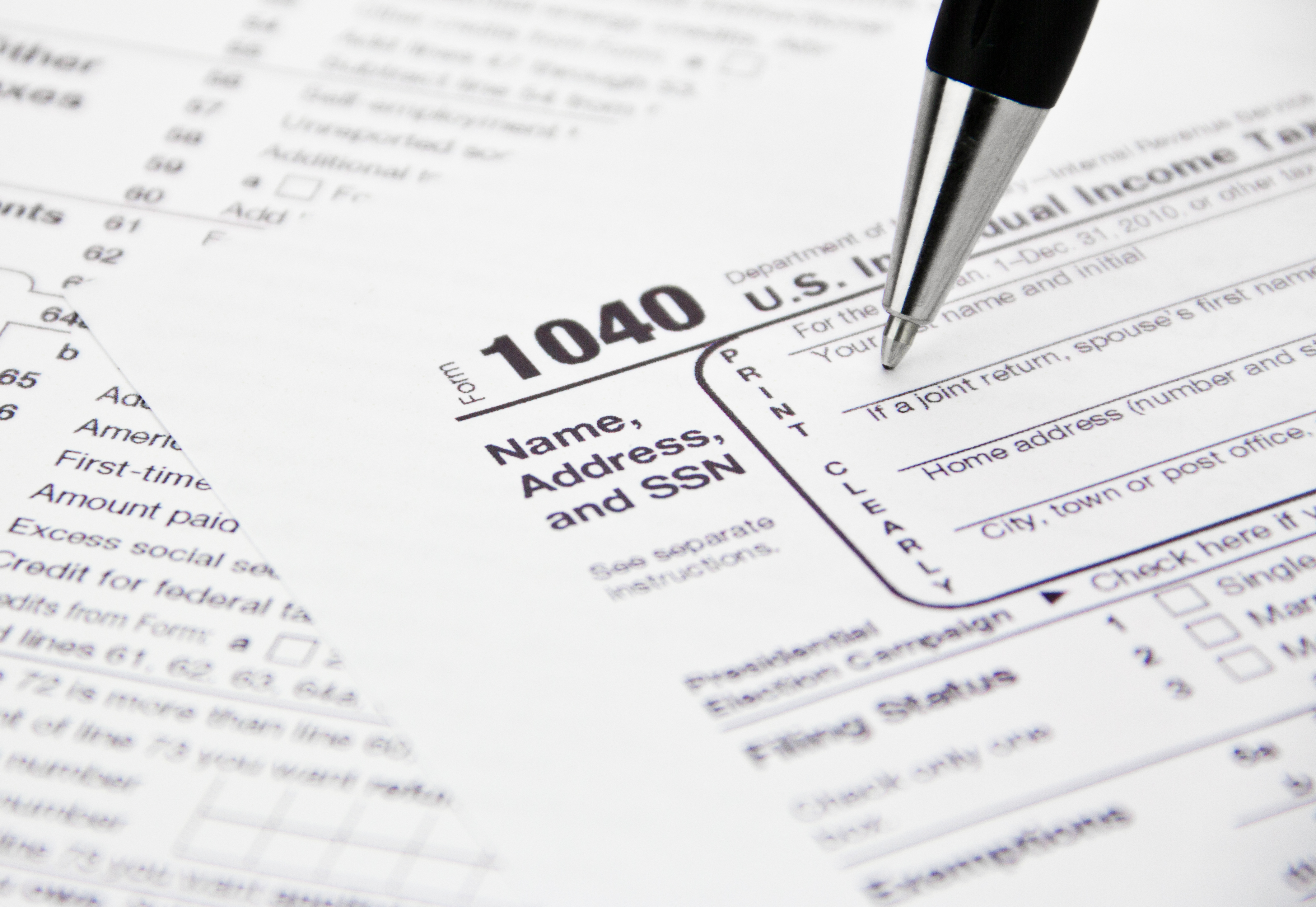
Sign Up Now at IRS.gov!

   ID Fraud has been a popular topic lately.  This is especially timely with it being tax season in the US and the filing deadline around the corner.  I wrote about ID Fraud and taxes a few posts ago.

   I'm a big fan of Brian Krebs' work.  Whether you're a security professional or a consumer interested in the security and privacy of your information (or both!), his blog posts and articles are usually great reads.  He recently put up a post entitled "Sign up at IRS.gov, before the crooks do it for you".  Read it here.

   It turns out that the IRS has a function on its website that allows you to get information about your past and current returns.  You need to create an account to do so.  The site does use a form of "identity proofing".  This means that the site asks you to provide personal data that it matches to information it already has.

   Identity Proofing is a great idea, in theory.  It's designed to bypass the "Facebook attack" that is effective on so many other websites, particularly those that ask for answers to "secret questions".  The so-called Facebook attack is when the answers to the secret questions or other identity information can easily be found on someone's Facebook page, or other social media (since Facebook is the "Kleenex" of social media! :-).

   Side note... as I've discussed in the past, the "correct" way to answer secret questions is to not answer them truthfully.  Then save your answers in your password vault.  You do have a password vault, right?

   The issue is that an ID thief can get to the site and set up an account in your name before you do!  They can then use that to get more identity and tax information about you.  Of course, the potential thief must know or guess a certain amount of information first.

   From the Krebs' article:
If you’re an American and haven’t yet created an account at irs.gov, you may want to take care of that before tax fraudsters create an account in your name and steal your personal and tax data in the process.
   From the IRS.gov website, here is what you need to sign up:
"The personal information you enter must match the information you provided us on your most recent tax return. We use the following information to verify your identity:
  • Name
  • Social Security Number or Individual Tax ID Number (ITIN)
  • Date of Birth
  • Filing Status
  • Mailing Address
  • Third Party Verification Questions - you must provide answers to questions about personal information such as prior address, mortgage information, etc., that only you should know.
You must also provide us with a valid email address, which we will confirm and use to notify you if your registration information changes. Your confirmation email should arrive quickly so check your junk folder if you don't see it."
   Note that you might need your tax return handy when you sign up.  You need to enter your info exactly as it appears in your tax records.  For example, did you use "road" or "rd" or "rd." in your address?

   Whether or not you plan to use the IRS online transcript services, you should still get in there and create your account... before someone does it for you!

Tuesday, January 8, 2013

3 Factors of Fail - The Authentication Problem

   Authentication is one of the biggest challenges in information security. We can have all kinds of technical security measures in our systems. There are various controls we can have at the data level. But we still need to allow people to use the systems and get to the data. I should say... we need to allow the right people to use the systems and get to the data! Authentication is how we decide who the right people are.

   Federal regulations like HIPAA, PCI, IRS 1075 and others have major focus on minimum necessary.  That is, giving a user the minimum access they need to do their job.

   Wikipedia defines authentication as: (from Greek: αὐθεντικός; real or genuine, from αὐθέντης authentes; author) is the act of confirming the truth of an attribute of a datum or entity. This might involve confirming the identity of a person or software program, tracing the origins of an artifact, or ensuring that a product is what its packaging and labeling claims to be.  And Webopedia has: The process of identifying an individual, usually based on a username and password.  Interesting that this latter definition directly refers to username and password.

   There has been plenty of news in the past couple of years of breaches involving theft of a password file (encrypted or unencrypted) and customer/citizen personal data. Example like: eHarmony, LinkedIn, South Carolina Dept. of Revenue, and Utah. Many of these attacks involved exploiting authentication.