Showing posts with label crypto. Show all posts

Tuesday, January 9, 2018

Meta-Predictions

   Well, it's a new year and we all know what that means... every security publication, and plenty of non-security publications, come out with their annual security predictions.

   I predict that this year's predictions will be as boring and vanilla as last year's.  And we don't even have to wait until the end of the year to see if I'm right!

   So, rather than adding to the noise, I'll save you some clicks.  Everybody's saying the same things... cybercrime, blockchain, cryptocurrency, breaches, yada yada.

   But some people went above and beyond to make the prediction reading experience special!  Here are my favorites:

   Best presentation.  Kudos on the production value of this prediction post by Watchguard.  Between the nice graphics and videos, I was engaged.  They didn't say anything new... but the way they said it makes it worth a look.
https://www.watchguard.com/wgrd-resource-center/2018-security-predictions

   Best use of AI.  This is a great idea... how about machine-generated predictions!  Great fun.  And I, for one, welcome our AI overlords.  Even the text that doesn't make sense makes more sense than some other predictions!  Well done Kelly and Medium.
https://medium.com/@kshortridge/2018-cyber-security-predictions-d493e25162e7

   Best prediction of the death of passwords.  Well, really they said that password-only authentication will decrease faster.  OK, either way, we've been down this road many times before and, unfortunately, passwords ain't goin' nowhere.  We're stuck with them.
https://www.csoonline.com/article/3242866/security/our-top-7-cyber-security-predictions-for-2018.html

   Remembering what we said in 2017 award.  This post doesn't say anything particularly interesting, but I like that they go back and grade their 2017 predictions.  Of course, those predictions were pretty bland but they only gave themselves a generous 9.5 out of 10.  http://resources.infosecinstitute.com/2018-cyber-security-predictions/

   tl;dr award.  I seriously did not even read this one.  Really Forbes?  60 predictions?  I guess all the ad networks you hit us with aren't enough?  I guess quantity wins.
https://www.forbes.com/sites/gilpress/2017/11/26/60-cybersecurity-predictions-for-2018/

   What are your favorite predictions?

   Here's to a great 2018!

Tuesday, May 23, 2017

I'll Cry if I Wanna

   I try not to jump on bandwagons, but with so much coverage and affects of the whole worldwide WannaCry mess, I do have a few things to say.  I have a few different things to cover that you may not have seen elsewhere.

   There's been plenty of media coverage so I'll just give a high level overview of what happened.  Like many other nations, the US National Security Agency (NSA) studies computer flaws and develops ways to attack them.  The Shadow Brokers are a hacker group who started leaking some of these NSA-developed attacks in the second half of 2016.  The April 2017 edition of their leaks included the code that enabled the WannaCry attack.
   The attack that started on Thurs May 11 consisted of two parts.  One would encrypt files so that the owner could not get access to their files (commonly called "CryptoWare").  The other part could get remote access to any vulnerable computer.  This was a very powerful combination and this is the first time we've seen this kind of auto-spreading cryptoware.  Once infected, the victim sees a screen that directs them to pay a ransom in bitcoin - so the whole attack is considered "Ransomware".

   Now, Microsoft did release a patch in March to fix some of these problems, in particular the remote access part.  So no problem, right?  Desktops and laptops are usually easier to patch, and you should always have your home systems set to automatically update.  But servers need more testing to assure that applications continue to work as expected.

   Patching was a critical part of the fix, but there was definitely more to it including things like new anti-virus signatures, whitelisting, intrusion prevention signatures and firewall rules.

Tuesday, December 6, 2016

Information Security Learning Resources part 2

   Today we have part 2 of a 2-part guest post by security analyst Chris Goff.  Chris has collected a set
of info, links and lists that definitely qualify as extremely cool resources!  You can check out Chris' website at http://chris-goff.com/ or follow him at https://www.linkedin.com/in/goffchris

   There's a lot of info packed in here, and it's pretty technical. But you don't have to memorize it all now and there won't be a test!  Just skim it, enjoy it and bookmark it!

Security Concepts
There are three key concepts of information security which you may or may not be familiar with:
    -      Confidentiality
o   Confidentiality is the characteristic of information whereby only those with sufficient privileges and a demonstrated need may access certain information. When unauthorized individuals or systems can view information, confidentiality is breached.
    -      Integrity
o   Integrity is the quality or state of being whole, complete, and uncorrupted. The integrity of information is threatened when it is exposed to corruption, damaged, destruction, or other disruption of its authentic state. Corruption can occur while information is being entered, stored, or transmitted.
    -      Availability
o   Availability is the characteristic of information that enables user access to information in a usable format without interference or obstruction. A user in this definition may be either a person or another computer system. Availability does not imply that the information is accessible to any user; rather, it means availability to authorized users.

This is known as the “security triad”. It can be further expanded upon:
    -      Privacy
o   Information that is collected, used, and stored by an organization is intended only for the purposes stated by the data owner at the time it was collected. Privacy as a characteristic of information does not signify freedom from observation (the meaning usually associated with the word), but in this context, privacy means that information will be used only in ways known to the person providing it. Many organizations collect, swap, and sell personal information as a commodity. It is now possible to collect and combine information on individuals from separate sources, which has yielded detailed databases whose data might be used in ways not agreed to, or even communicated to, the original data owner. Many people have become aware of these practices and are looking to the government for protection of the privacy of their data.
    -      Identification
o   An information system possesses the characteristic of identification when it is able to recognize individual users. Identification is the first step in gaining access to secured material, and it services as the foundation for subsequent authentication and authorization. Identification and authentication are essential to establishing the level of access or authorization that an individual is granted. Identification is typically performed by means of a user name or other ID.
    -      Authentication
o   An information system possesses the identity that he or she claims. Examples include the use of cryptographic certificates to establish Secure Sockets Layer (SSL) connections or the use of cryptographic hardware devices--for example, hardware tokens provided by companies such as RSA's SecurID--to confirm a user's identity.
    -      Authorization
o   After the identity of a user is authenticated, a process called authorization assures that the user (whether a person or a computer) has been specifically and explicitly authorized by the proper authority to access, update, or delete the contents of an information asset. An example of authorization is the activation and use of access control lists and authorization groups in a networking environment. Another example is a database authorization scheme to verify that the user of an application is authorized for specific functions such as reading, writing, creating, and deleting.
    -      Accountability
o   Accountability of information exists when a control provides assurance that every activity undertaken can be attributed to a named person or automated process. For example, audit logs that track user activity on an information system provide accountability. (Management of Information Security by Michael E. Whitman and Herbert J. Mattord)

Tuesday, June 14, 2016

Because Math

   Encryption has been in the news again - whether it's ransomware, law enforcement and iPhones, bitcoin, quantum computing, or potential new laws.  Before we can "decrypt" all these issues, we need to talk a bit about what encryption is and isn't.

   There's an old saying in Security... "if you think encryption is the answer, you might not have understood the question".  I never liked the tone of that statement because it sounds kind of elitist, but it is basically true.  And that's because encryption is very confusing.

   Encrypting data is great because it means it can't read by unauthorized people.  And that is the trick... how to let the right people in and keep the wrong people out.  If my encrypted data is unreadable by anyone then that's called Ransomware!

   Encrypting my data so only I can read it is pretty easy.  It means that only I need the "key".  Of course, I better not loose that key!  Encrypting my data so I can share it with you is also pretty easy.  We just need a "shared secret".  If I need to share my data with a bunch of people then we get into something called "public key cryptography".  Here's a good explanation of that.


   Encryption is basically a solved problem.  Because math.  #math.  There are many great algorithms with cool names like Elliptic Curve, RSA and Two-Fish.

Tuesday, February 9, 2016

How To Vault (part 1)

   I was recently asked to provide more information on vaults.  I think this is a memorable one :-).


  Well, to be more precise, the question was about password vaults...
you've talked about password vaults and it seems like something should do, but I'm not sure how to start and it still seems a bit scary.
   That is a great question.  We've talked about passwords and password vaults a number of times in the past including here, here and here.

   But why do we even need something like a password vault.  There are a few reasons, and they have to do with the problems passwords pose:

Tuesday, September 1, 2015

The XORcist (aka Get Rid of Bad Encryption)

   I remember when the movie version of the Exorcist came out.  I was in high school and it was probably the scariest, most graphic movie released by that time.  Parents didn't want their kids to see it.  There were all kinds of media discussions about the potential detrimental effects to roller-skating Linda Blair, who played the possessed Regan.  It was a freaky movie, at least for it's day, though it was way surpassed in gore by the slasher movies of the 80s.

   I recently read the book (well, you know... audiobook!).  It's well written and I recommend it.  But it is graphic, and there's plenty that wasn't in the movie.

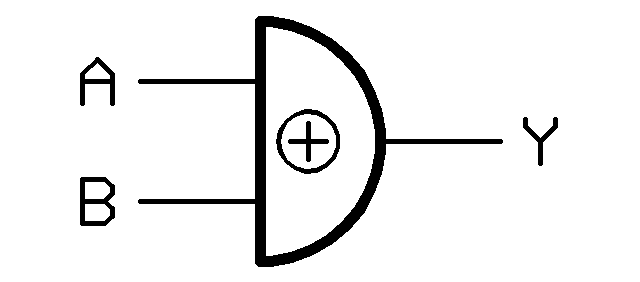
   Easily as scary is the way many systems and sites handle encryption!  For those who don't get the title... XOR is a basic mathematical function that all computers can do easily and quickly.  It's critical for computer operations, and is used in some encryption operations, but is not really a strong encryption method by itself.  If you want to learn more about XOR, look here or here.

   I've covered problems with passwords many times here.  One of the problems that has allowed password breaches to work is poor encryption of the password file.  XOR is not a strong encryption method!

   So what does this all mean?  I have two messages... one for programmers and one for everyone else.

   Programmers.  Don't invent your own encryption.  There are fantastic, freely available encryption routines out there that you can use in your code.  Or, your organization may already have standard encryption methods you can use.  Bottom line is that 2000 years of mathematics has led us to some pretty solid encryption algorithms.  Use them!  Friends don't let friends use bad encryption!  Here are some great references.

   Everyone else.  Password storage should use something we call a "one-way hash".  Not a tasty dish, but a method of encrypting data so it can't be decrypted.  That means that no one should be able to tell you your password!  So, if you call customer support or the help desk because you forgot your password, and they can tell you your actual password... run!


   Can you think of any examples of bad encryption?  Do you know of any websites that can show you a forgotten password?

Tuesday, August 18, 2015

Crypto Where?

   It's that scary moment...  You're getting some work done on your computer when you see a dreaded pop-up message:

   CryptoLocker, CryptoWall and other crypto-/ransom-ware has been in the news again (or still?).  This kind of malware attack was first identified in 2013.  Rather than trying to steal information, the malware encrypts your files.  But you don't have the key to decrypt.  The attacker offers, through a pop-up message, to "sell" you the "service" to unlock your files.  To make things worse, the attacker threatens to delete the keys after a set amount of time, typically 72 hours, which could prevent you from recovering the files.

   These ransom-ware viruses are usually sent to your computer as an email attachment.  The attachment can be an office file, pdf, zip file or other file.  The malware can also come from an infected web link.

   When your computer is infected, the virus operates quietly in the background, encrypting files.  You usually won't know there's a problem until the files are encrypted, and then you're in trouble.

   So if you are infected and encrypted... then what?  Well, there's bad news, good news, more bad news and some more potentially good news!