Showing posts with label computer. Show all posts

Tuesday, March 13, 2018

We Encounter a Serious Issue


   I just received this voice message on my home phone (landline).

   Here's the text:
   We encounter a serious issue coming out of your computer.  It seems to be someone is trying to hijack your computer and try to steal your personal information.  If it's not fixed right away then your computer will become obsolete and all of your credential information may got compromised.  If you are the one who is using Microsoft Windows in your computer then please call 302-316-9259 or press 1 now to speak with security team now.  Please ignore if we called you by mistake.  Thank you.

   The only serious issue here is that people fall for these scams.  Let's break it down:
  • The Voice - who wouldn't believe a bad computer-generated voice?  Seriously though, there are plenty of pre-recorded and generated junk voice messages we get all the time.  My general rule of thumb - ignore them all and erase is your friend.
  • Bad Grammar - this is practically a throw-back to the old days of spam.  I've written about this in the past.  Someone willing to get past the bad grammar is more likely to continue on to other poor choices.
  • Fear Factor - the message is playing on many people's fear of technology and loss of their personal information.  While we've become almost numb to breach announcements, the idea that there is an attack on our personal home computer is still a scary concept.  Words like "hijack", "steal", "obsolete", and "compromised" invoke fear.
  • Call To Action - "if it's not fixed right away...".  For a person who doesn't understand the complex issues of their computer, the call for immediacy further plays upon the fear state.
  • Microsoft Windows - what are the odds that if a call was made to any household, someone would be using, or would have used int eh past 24 hours, Microsoft Windows?  I'd guess that's pretty high.
  • Politeness - bad voice and grammar aside, the call does say please and thank you.  That further instills a sense of confidence in a person already affected by fear and the call to action.

   As I covered in a past posts, while I did not call the number (and I suspect it's already been disconnected), if I did get through to someone I bet that they would be very helpful!  That is, as long as I was cooperating.  If I was not forthcoming with information, then these kinds of folks often get forceful.

   Obviously, the best course of action is to just have a good laugh and hit delete when you get a message like this.  We also need to assure that less technical, or more vulnerable, people understand the issues and are prepared when the call comes.

   Have you, or someone you know, received a call like this?  What happened?

Tuesday, January 30, 2018

Speculative Speculation

   Patch.

   NO WAIT!... DON’T Patch!

   It may cause unexpected reboots (as opposed to the expected kind???? J).

   It may cause system slowdowns.

   It may conflict with your other system controls.

   It sounds kind of like the “fine print” in one of those pharmaceutical adds… patching side effects may include arrhythmia, faintness, moderate to severe amnesia, flushing of the face, dry mouth, blurry vision, visual distortions or white spots, nausea and vomiting, constipation, muscle twitches, confusion, euphoria, sedation, itchiness, and increased anxiety, respiratory or cardiac arrest, coma, hypoventilation (inadequate ventilation), and possibly death.

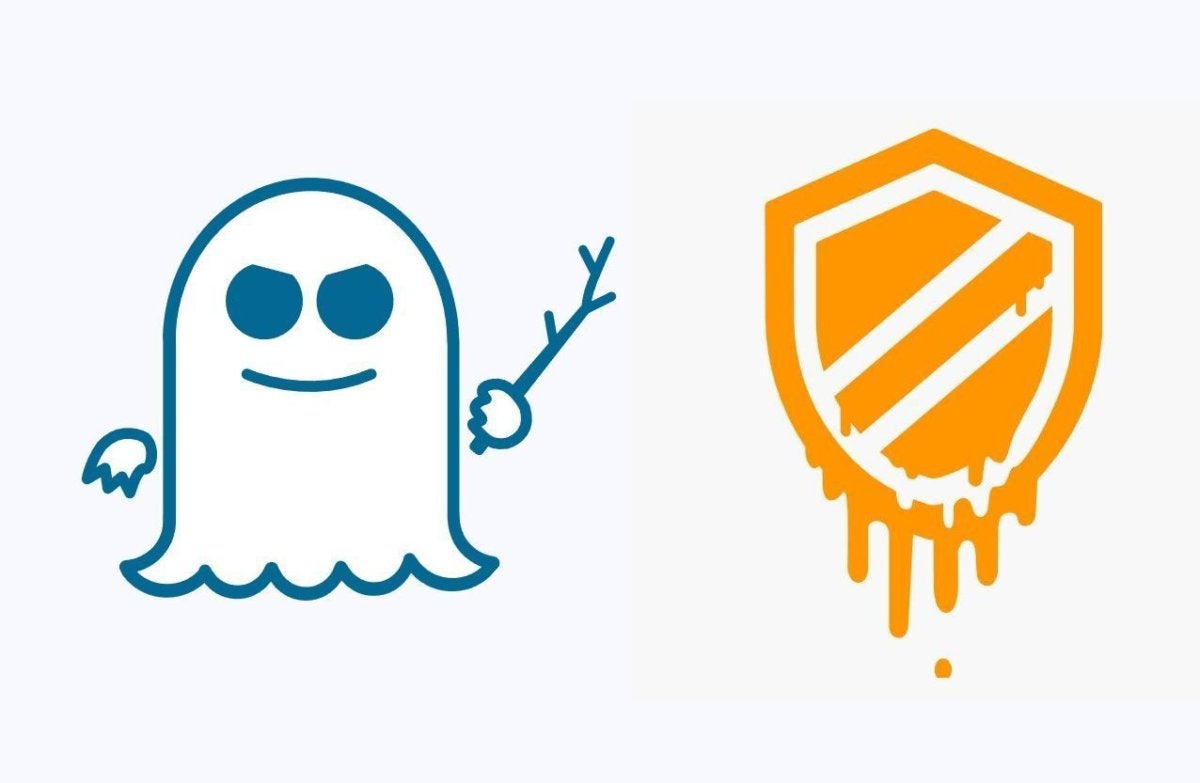
   This whole Spectre/Meltdown thing has gotten so much attention lately. But the reports are loaded with misinformation, speculation (!), and even some facts.  I’ve have seen some uber-geeky explanations of what is going on.  If you haven’t seen the major rant by the father of linux Linus Torvalds, check this out.

   One thing that has been lacking is more simple, straightforward explanations of this complex topic.  I think Steve Gibson did a great job talking about this recently in his SecurityNow! podcast.  He actually explained the underlying mechanism of speculative execution years ago when he was talking about how modern processors work.

   Speculative Execution is really pretty cool.  It can be complex, but a good example is when there are two choices in how some code may execute, i.e. GO here or GO here, the processor does both!  And it executes steps ahead from where you are in the code now.  The overall effect is that the code executes faster.  It’s kind of like paying it forward with extra computing cycles.  Here's a great explanation.

   Here’s the point about this vulnerability… we’ve had plenty of named vulnerabilities.  They are all the rage these past few years – a name and a logo.  But most of these vulnerabilities are code or protocol problems.  Yes, some of those were very wide ranging.  However, this newly discovered problem is a vulnerability in the underlying architecture of nearly every modern computer chip created since 1995.  Everywhere.

   And while this has not been exploited in practice, that will happen.  The Fix is not yet in.  For now, the advice is to not panic, patch selectively and we’ll all watch and wait!

Tuesday, October 25, 2016

Lock Before You Leap

   Most organizations have some kind of requirement to protect data.  Sometimes it's regulatory, for example organizations in healthcare or financial or retail need to protect personal data on individuals.  But for sales, manufacturing or other industries like medical devices, their "secret sauce" could be intellectual property like formulas or proprietary processes, or customer lists.

   Whether it's critical data on people, processes or things, what most organizations have in common is that, if they cannot protect this information, the results could be fines or inability to do business and that can directly translate to harm to people and organizations.

   There are so many ways to protect information (or to fail at protecting information), some more complicated than others.

   One very simple way that information can be breached, disclosed or otherwise lost is through unattended, unlocked devices.  For example, someone leaves a laptop logged in, screen unlocked and walks away - someone else can take that laptop and would have access to any data it has.  This is also true for desktop workstations.  In this case the computer won't likely be taken, but if the workstation is unattended and unlocked, anyone else can access the data on that machine leading to potential breaches and regulatory problems.

Tuesday, September 20, 2016

It's Microsoft Calling (Not!)

   The amount of automation and detection in our world today can be scary but it can also be useful.  You can set your lights to come on as you approach your home.  You can have your phone switch to wifi when you get to the office.  And Microsoft will even call you when they detect a problem with your PC!

   OK, maybe not that last one!  As we've discussed before, this is a common scam that has now been around for a few years.

   It works like this... There are 2 basic scenarios:
  1. you get a popup on your computer telling you that "Microsoft" has detected that there is a problem with your PC, and you should call the phone number they provide, or;
  2. you get a phone call directly from "Microsoft" telling you that they have detected a problem on your PC.
   Of course, neither of these are legitimate.  Microsoft will not call you.

   This article has a recording of what one of these calls sounds like.  Here's another.

   I said PC above, but people with Macs have received these as well!

   Here's the thing about these scammer orgs...  they provide very good customer support!  That, of course, is good for them but bad for us.  It's one of the reasons that these scams work.  People are very happy to receive great customer support - it's unfortunately too rare.   So when a friendly, attentive "customer service" rep is telling someone that their computer is infected, it can be convincing.

   Typically the "customer service" rep will ask the victim to pop a web browser and type in what they tell them.  The victim's web browser is directed to a malware site that will give the attacker control of that PC.

   Why do they do this?

Tuesday, February 9, 2016

How To Vault (part 1)

   I was recently asked to provide more information on vaults.  I think this is a memorable one :-).


  Well, to be more precise, the question was about password vaults...
you've talked about password vaults and it seems like something should do, but I'm not sure how to start and it still seems a bit scary.
   That is a great question.  We've talked about passwords and password vaults a number of times in the past including here, here and here.

   But why do we even need something like a password vault.  There are a few reasons, and they have to do with the problems passwords pose:

Tuesday, September 15, 2015

Bring It On Home

   I'm giving a presentation at the Twin Cities ISSA Security Awareness SIG.  I'll be talking about a number of different methods I've used over the years to create buzz and interest about security and make topics accessible to everyone.

   I was planning to refer to one of my earliest blog posts, covering my general philosophy on this topic.  But... going through past posts it appears that, while I've alluded to the ideas, I never actually wrote the post!  So I'll do that now!


   Like the song says, I try to bring it on home.  I find that while people do want to understand security rules at work, when we start talking about things like home computers, smart phones and family internet safety, then we get peoples' attention.

   And that's a great thing!  For a bunch of reasons:
  • When people think about protecting themselves and family and data, it helps them remember that in the office we are protecting customers'/patients'/users' privacy and data.
  • Security needs the eyes and ears of all staff to help us know what is going on.  Security Awareness focusing on personal topics helps open the communication channels to the security team.  We're not so scary! :-)
  • When staff understand more about how security topics can help them, we gain real evangelists.
   And yet there is still controversy about the usefulness of Security Awareness.  But I think it's one of the most important and useful things we can do to help secure our environments.

   Here's a link to the slides from my presentation.

   And here are a few of my past favorite security awareness posts:
   If you are a computer use, what are some topics you'd like to learn more about?

   If you are an information security professional, what tips and techniques would you like to share?

Tuesday, August 18, 2015

Crypto Where?

   It's that scary moment...  You're getting some work done on your computer when you see a dreaded pop-up message:

   CryptoLocker, CryptoWall and other crypto-/ransom-ware has been in the news again (or still?).  This kind of malware attack was first identified in 2013.  Rather than trying to steal information, the malware encrypts your files.  But you don't have the key to decrypt.  The attacker offers, through a pop-up message, to "sell" you the "service" to unlock your files.  To make things worse, the attacker threatens to delete the keys after a set amount of time, typically 72 hours, which could prevent you from recovering the files.

   These ransom-ware viruses are usually sent to your computer as an email attachment.  The attachment can be an office file, pdf, zip file or other file.  The malware can also come from an infected web link.

   When your computer is infected, the virus operates quietly in the background, encrypting files.  You usually won't know there's a problem until the files are encrypted, and then you're in trouble.

   So if you are infected and encrypted... then what?  Well, there's bad news, good news, more bad news and some more potentially good news!

Tuesday, January 6, 2015

The Secret Life of Passwords

   I've written about passwords plenty of times in the past.  Passwords are one of the main security touch-points for people, and it's often not a pleasant experience.

   As we've discussed, it's hard for people to pick good passwords and remember them.  So users need "tricks" to help the memory.  One way I've told people to construct a password is to base the password on an embarrassing moment in your life - that way you won't forget the password and you also won't tell it to anyone else.

   Apparently people have been using that, and similar, methods.  NY Times reporter Ian Urbana wrote a great piece on this called "The Secret Life of Passwords".  He asked people to tell him their passwords - yes, you shouldn't do that - but also the story behind the passwords.  There are some very interesting stories.  People seem to memorialize a part of their life in their passwords!  You can read the full story here.  Leo Laporte did a great interview with Ian in the Triangulation podcast.  You can hear that here.

   I'd like to focus to two aspects of this story that jumped out at me.

   First is the story of Cantor Fitzgerald.  They are a large financial firm who were headquartered at the World Trade Center in 2001.  When the terrorist attacks hit the towers, Cantor Fitzgerald over two-thirds of their employees were killed.  That was tragic.

Tuesday, August 26, 2014

When USBs Attack!

   Sometimes it seems that the more things change, the more they stay the same.  In information security, we've known for a long time that if someone can get physical access to your system, there's a chance they can get into your system.  Once an attacker has possession of your computer, laptop, tablet or smartphone, they can take their time and try multiple attacks.  We can take some preventative measures like encryption, but it needs to be implemented well.

   Of course, it's best to keep your portable devices in your possession!  But they do get lost or stolen.

   Unfortunately, there's more than one way for an attacker to physically get to your system.  If you've ever been to a conference, or a state fair, or just about any kind of gathering with give-aways, you've probably seen free USB sticks (also called thumb drives).  These supposedly have programs, games or advertising files.  And they usually do.  But they can also contain viruses or other malware.  To make matters worse, USB systems have an auto-run feature to make (legitimately) running these files "easier".

Tuesday, March 18, 2014

XP End of an Era or... Deja Vu All Over Again!

   Unless you just came back from time traveling, you know that Microsoft is ending support for the XP
operating system on April 8.  To be clear... April 8 is Patch Tuesday, so that will be the last set of updates for XP.  Sort of.

   XP has been one of Microsoft's most popular desktop operating systems and many organizations are dependent upon it.  Many organizations have not yet updated to Windows 7 or 8 and the clock is ticking.  I'd like to look at what that means and share a few ideas of what we can do to protect ourselves and our organizations.

   Microsoft will be stopping all patches, hotfixes and enhancements to XP after April 8.  Anti-virus signatures will continue to be made available.  This means that any vulnerabilities that are discovered or disclosed might not be fixed.  Organizations will need to figure out if they are vulnerable to any new threats and then weigh the risks associated with their options.

   There has been some speculation that online criminal organizations may be stocking up on new vulnerabilities so these can be released after the last patch date.  We can't know if this is true, but it is possible.

   So... if you are still running XP, and need to continue to run XP, what can you do?  Let's do a high-level threat analysis:

Tuesday, December 10, 2013

Password Problems Again

   So here we go again... more problems with breached passwords.  But this time there is a different wrinkle.

   By now, most of you have probably heard about the recent discovery of hackers getting around 2 million userid's and passwords to online services like Facebook, Gmail, Yahoo, LinkedIn and Twitter.  Notable on the list of sites is ADP, the payroll processor.

   It's "just" 2 million sets of ID's and passwords.  That's not really big news these days when the new record of over 152 million stolen passwords was recently set by the Adobe breach.  But there is a difference here.  For most of the big password breaches, the service provider's website or password store is hacked.  Then the encrypted password file or database is downloaded.  The attackers can take their time analyzing the encrypted data to come up with userid's and passwords.  This work is made easier because so many sites use poorly implemented encryption.  And some sites use no encryption at all.

   But that's not what happened here.

   This time the passwords were stolen from the users of the sites.  That's you and me (well... hopefully not you or me!).

Tuesday, August 20, 2013

Beyond the Checklist - Compliance v. Security

   SC Magazine put out a good article last week entitled Beyond the Checkbox: PCI DSS.  The article cover new revisions in the Payment Card Industry (PCI) security standard (Data Security Standard DSS).

   The point of the article is something I've been saying for years... That we can simply treat security regulatory standards as checklists.  It's not about just meeting the minimum requirements.  It's about integrating the standards into your security program.

   Now, I'm not completely dismissing checklists.  In fact, I think they have some great places within your program.  For example: server build checklists; server hardening checklists, and; an SDLC checklist.  I'm a big fan of the CIS checklists for hardened configurations.  I also like a standardized secure engineering process (or SDLC) with specific steps.

   As I've discussed here in the past, one size does not fit all.  While we can all share our processes, it's critical to tailor any process or checklist to your environment.

   But here's my main point... Compliance does not equal Security!

Tuesday, April 16, 2013

Bring It On Home

   There have been a number of discussions about the value of Security Awareness training floating around the net.  Some say that even with training, people will still fall for phishing attacks and social engineering, and that networks and servers will still get hacked.  I wrote about this a while back.

   I think there is great value to awareness training.  To me, the content and delivery are key considerations.  If the security messages are the same old, rehashed information then it will be hard to get people to pay attention, care and retain information.  No one wants to see yet another dry review of an organization's security policies.

    But there is a better way...