Tuesday, March 31, 2015

Sign Up Now at IRS.gov!

   ID Fraud has been a popular topic lately.  This is especially timely with it being tax season in the US and the filing deadline around the corner.  I wrote about ID Fraud and taxes a few posts ago.

   I'm a big fan of Brian Krebs' work.  Whether you're a security professional or a consumer interested in the security and privacy of your information (or both!), his blog posts and articles are usually great reads.  He recently put up a post entitled "Sign up at IRS.gov, before the crooks do it for you".  Read it here.

   It turns out that the IRS has a function on its website that allows you to get information about your past and current returns.  You need to create an account to do so.  The site does use a form of "identity proofing".  This means that the site asks you to provide personal data that it matches to information it already has.

   Identity Proofing is a great idea, in theory.  It's designed to bypass the "Facebook attack" that is effective on so many other websites, particularly those that ask for answers to "secret questions".  The so-called Facebook attack is when the answers to the secret questions or other identity information can easily be found on someone's Facebook page, or other social media (since Facebook is the "Kleenex" of social media! :-).

   Side note... as I've discussed in the past, the "correct" way to answer secret questions is to not answer them truthfully.  Then save your answers in your password vault.  You do have a password vault, right?

   The issue is that an ID thief can get to the site and set up an account in your name before you do!  They can then use that to get more identity and tax information about you.  Of course, the potential thief must know or guess a certain amount of information first.

   From the Krebs' article:
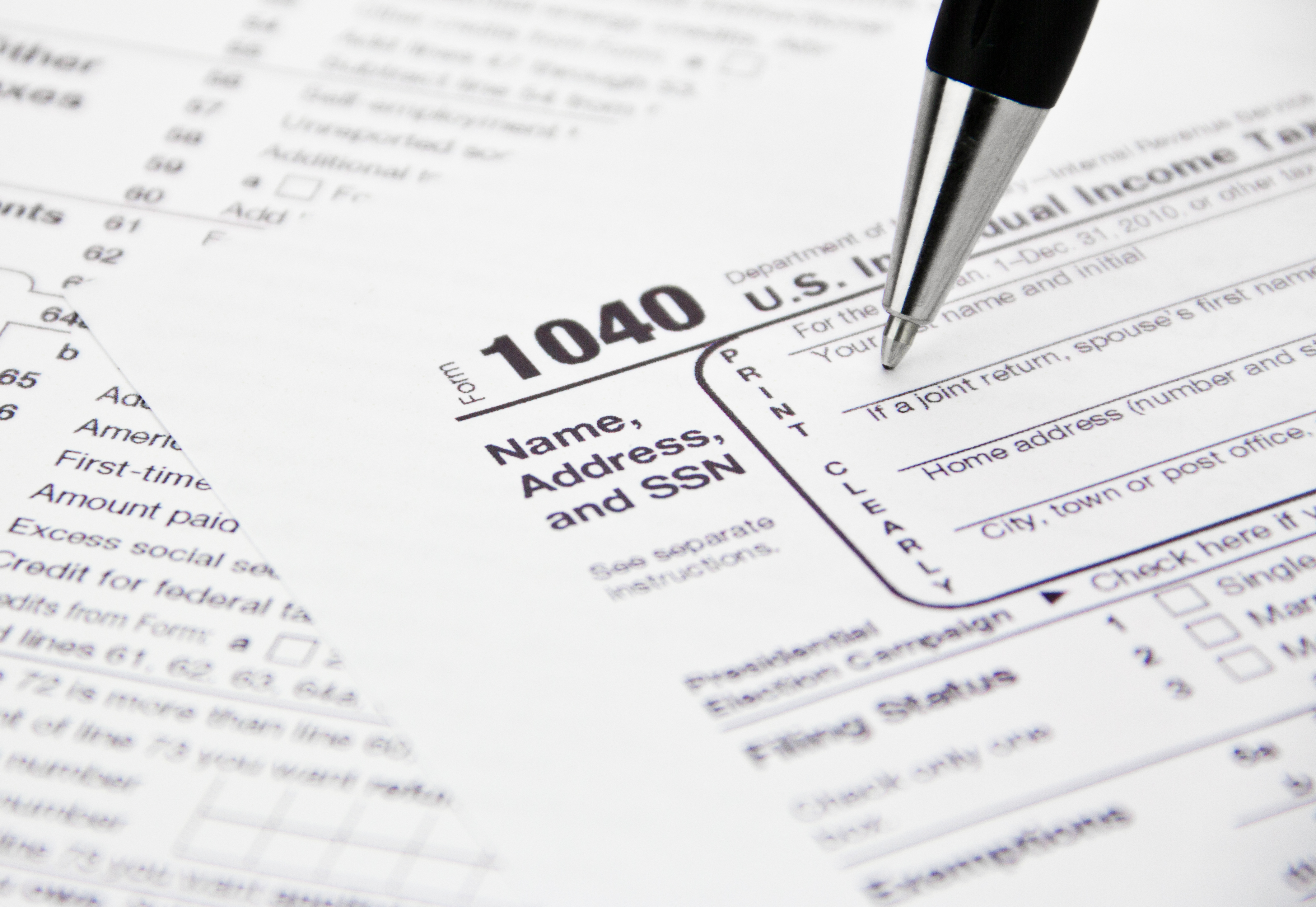
If you’re an American and haven’t yet created an account at irs.gov, you may want to take care of that before tax fraudsters create an account in your name and steal your personal and tax data in the process.
   From the IRS.gov website, here is what you need to sign up:
"The personal information you enter must match the information you provided us on your most recent tax return. We use the following information to verify your identity:
  • Name
  • Social Security Number or Individual Tax ID Number (ITIN)
  • Date of Birth
  • Filing Status
  • Mailing Address
  • Third Party Verification Questions - you must provide answers to questions about personal information such as prior address, mortgage information, etc., that only you should know.
You must also provide us with a valid email address, which we will confirm and use to notify you if your registration information changes. Your confirmation email should arrive quickly so check your junk folder if you don't see it."
   Note that you might need your tax return handy when you sign up.  You need to enter your info exactly as it appears in your tax records.  For example, did you use "road" or "rd" or "rd." in your address?

   Whether or not you plan to use the IRS online transcript services, you should still get in there and create your account... before someone does it for you!

Tuesday, March 24, 2015

GOOD DAY

   I received the following email recently.  Looks too good to be true!  $1.5Million united state dollars!  Maybe I should reply? :-)

   The only thing missing is a link or attachment.

   Of course, there are tons of emails like this around.  And people do respond.

   Would you respond?  How many people at your workplace would respond?  How would you help people recognize this kind of email and not respond?

--------------
From: Dr. Xxxxx Xxxxx
Reply-To: "Dr.Xxxxx Xxxxx"
To:
Date: Fri, Mar 20, 2015 at 6:58 AM
Subject: GOOD DAY

Good day,

How are you doing hoping all is well with you and your family? We know you might have forgotten about this your outstanding compensation payment due to delay on the delivery up till now. We are here by writing to inform you that your payment file was found in our Office and we discovered that your Compensation payment of $1.5Million united state dollars have not been sent to you as it was instructed by The Economic Community of West African States (ECO-WAS)We are here to inform you that your payment has been converted into ATM Visa/Master Card to free it from Expiring, and all the necessary Arrangement for your

ATM VISA CARD Payment worth of $1.5Million United State Dollars has been granted for your payment through Our ATM Card Department Center.Now Your ATM Visa/Master Card is well packaged with every legal documents to convey it having any problem with any Authorities or with your Federal Government therefore we are here by inviting you to our office here in Republic of Benin, Office Address, UNITED BANK OF AFRICA BENIN, Xxx Xxx n,Xxxx Xxxx 2000, to enable us complete the normal formalities and activation process of your ATM Visa Card and issue the Secret PIN CODE/NUMBER to enable

you start using it at any ATM MACHINE worldwide of your choice nearest to you, as soon as it is activated, But if you are unable to come down here in our office in person you will be required to update our ATM Department Center with your contact delivery details as stated below so that they will proceed with

the necessary arrangement for the delivery of your ATM VISA/MASTER CARD.

1. Your Full name, ________________
2. Your home Address, _____________
3. Your telephone number, _________
4. A copy of your ID, _____________
5. Your age/sex, __________________
6. Your occupation, _______________
7. Your country, __________________

Therefore you should contact OUR ATM CARD PAYMENT DEPARTMENT CENTER immediately on their below;

E-mail :( dr.xxxxx.243@gmail.com )
Contact Person;
Dr. Xxxxx Xxxxx
Director Of UNITED BANK OF AFRICA BENIN,
Telephone Number; +229 nnn-nnn-nn
Try to call him immediately to know when your ATM VISA CARD will be delivered to you. I am waiting for you to update us as soon as you have received your

Visa/Master ATM Card.
Thanks and God Bless You.
Yours sincerely

Dr. Xxxxx Xxxxx

Tuesday, March 10, 2015

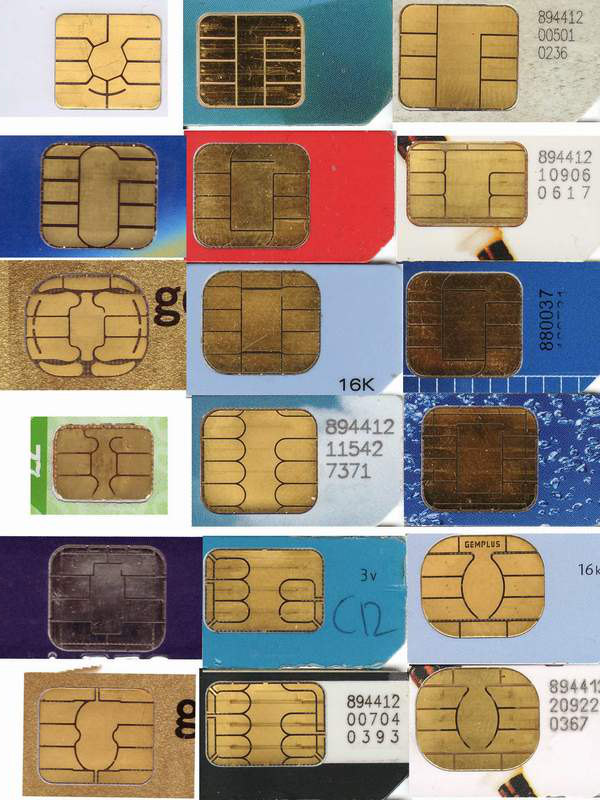
Chip & Pin & a Tin Foil Wallet

   I've been talking a lot about ID Fraud lately and was recently asked this question:
"A question came up at home – and that is about use of credit card wallets that protect from rogue scanners. Are they necessary? Will they be more or less necessary when newer cards with embedded microchips are more prevalent?

I thought this might be an interesting topic for your blog."
   Thanks for the great question and idea to put this in a blog post!

   So, by credit card wallet I’m assuming that you mean some kind faraday cage or lead lined case that blocks electronic signals, as opposed to a credit card wallet like Google Wallet, Apple Pay or SoftCard.

   When it comes to old-school mag stripe cards… have you noticed how you sometimes have to reinsert or re-swipe the card in the reader, and even then it doesn’t always read?  Mag stripe is definitely a direct-physical-contact medium.  Other than vendor breaches or stolen (physical) wallets, the typical way someone can steal your mag-stripe card data is via some kind of skimmer.  There are very low profile skimmers that can be inserted into ATMs or gas pumps to grab your card data while you’re trying to do a legit transaction.  There are also hand-held or desktop units that an “evil waiter” can use to grab your card data when they take your card at a restaurant.  There are no reliable remote ways to read magnetic data off a card.  So, a lead wallet won’t help here at all.  It’s the same way you can’t read the contents of a hard drive just by being near it.

   Next is RFIDs.  That stands for Radio Frequency IDentification and, as the name implies, they do transmit data.  These are the chips in the tap & pay cards.  There are transmission-blocking wallets for RFID passports and things like that which transmit data.  So anything with RFID or a transmitter can be remotely read (at various distances).

   The new cards coming out will be chip & "something".  Currently in Europe they use chip & pin.  This is expensive to implement and requires replacing all the mag stripe readers with much costlier readers.  The chip is a microchip that computes a value and provides a 1-time-use code for a transaction.  Note that it does not use your credit card number.  In addition to that single use code, the person also needs to put in their numerical PIN.  So, even if the card was stolen, or the code could be remotely read, it couldn’t be used for a transaction without the PIN, and the code couldn't be reused.

   The US is actually considering chip & signature.  Among the reasons is that the cost will be lower even though the readers still need to be replaced.  (though, because of the marketing power of Apple and Apple Pay, many merchants have already upgraded readers).  The chip works the same way, but the 2nd part of the verification is the physical signature.  Not particularly strong but better than nothing.

   Now… neither of these new card types solves a particularly important case… Card Not Present.  This is when you buy something over the phone or internet.  So there’s no card reader nor person to look at your signature, and you don’t want to give some random merchant your PIN.

   There are a number of potential solutions in the works.  Verified-By-VISA or MasterCard SecureCode are examples of tools available now, even for mag stripe cards.  Basically, you choose one of these at online checkout; then you’re transferred to the VISA or MasterCard site; you authenticate there; the VISA or MasterCard site generates an acceptance code that get sent back to the merchant and you’re all set.

   So, chip & signature cards and readers will help deal with some of the credit card fraud we have, but we still need a standardized solution for Card Not Present (CNP).

   Now with that background, back to your initial question… remote reading of a magnetic stripe, chip & PIN or chip & signature card is not a major threat.  However, cards that use RFID, or any tap and pay technology, could be read remotely.

   You'd be far better off taking the precautions I listed in my previous ID Fraud articles including:

  • regularly viewing your credit report
  • watching your bills
  • shredding unneeded documents that have personal info
  • carrying only the minimum cards you need
  • using care online

   Thanks again for the great question!  If anyone has questions or ideas for things I should write about in the future, please let me know.

Tuesday, February 24, 2015

It Wasn't Englebart's Fault! (part 1)

   Douglas Englebart was an engineer, inventor and pioneer of the early internet.  He died in 2013.  He was known for a number of key ideas and inventions.  In 1967, he invented a very useful computer device that is a key component in propagating malware and facilitating phishing attacks... the Mouse!

   Of course, Englebart didn't invent email, email attachments, phishing emails or malicious links.

   The media is always buzzing with information about the latest breach or computer break-in.  We hear about advanced attacks, nation-states and possibility of cyber-war.  Many of these major attacks start with a simple click (or many clicks).

   Two of the main ways that malware is distributed or information is stolen is via:

  • malicious attachments sent in an email, and;
  • phishing emails with malicious links.
   For either of these methods to work, the recipient of the email needs to click... with a mouse! (well, you could also use a track-pad or track-ball).  The attachment needs to be opened.  If it's a zip file, it needs to be unzip'd.  If it's a link, clicking the link might either download malware or lead to a form asking for personal information.  Any of these actions could cause major problems.

   Let's discuss two issues:
  • what do these viruses do?
  • why can't my organization stop these? (or why can't I stop them at home?)
   This is, unfortunately, pretty complex and we'll probably handle these in two separate posts.

Why Viruses?

   As I've discussed in the past, this is really an economics issue.  There's illicit money to be made and there are smart people out there coming up with new ways to attack and take over systems.

   A typical computer virus does 1 of 3 things (I'm using the term virus generically - a virus is actually just one of a number of different types of malware (malicious software)).  It can even do more than one of these:
  1. connect "home" and download more viruses;
        This is an optional step.  The real goals are items #2 and #3.
  2. take over a computer so it can be remotely controlled, or;
        An attacker can take over a bunch of computers and use them to attack other computers or sell that capability to others. The computers taken over are called robots or bots.  They can be used to spread spam and more malware; to send a lot of traffic at target computers so they won't work properly or at all (this is called Denial of Service or DoS), or; might use other attack methods.
  3. steal information (the techy word for this is exfiltration).
        The stolen personal or corporate information can be sold or used to steal money from existing or newly created accounts.
  4. (bonus item) threaten to do the above (blackmail).
        An attacker might threaten to crash computers if not paid.  One kind of malware called "ransomware" encrypts your files so that only the attacker can decrypt them and charges you a fee to get your access back.
What can we do?

   This is a complex issue and we'll talk about protection methods next time.  For now, the best advice is to take measures we've often discussed here:
  • use anti-malware software
  • use care when opening attachments
  • use care when clicking on links
  • know who sent you that email, message, tweet, social network message, etc.
   I discussed these and other steps you can take in a post last year.

Tuesday, February 10, 2015

ID Fraud, Taxes and Doctors, Oh My!

   I did a series of posts last year on the problem of ID Fraud.  This is an ongoing issue, certainly because organizations struggle to protect information, there are cyber attackers out there, and also individuals don't often take steps to protect their own information.

   The bottom line is that your personal information, primarily your financial information, has tangible dollar value to a cyber attacker.

   We usually think about credit card fraud or maybe bank account fraud as the results of these kinds of data breaches.  But in this post and the next I'd like to talk about two other scenarios that have happened, are happening... and you need to be aware.

   It's that wonderful time of year again in the US.  Crisp weather, snow (most places), the days are starting to get a bit longer... and it's the beginning of tax filing season.

   Imagine you are doing your civic duty, filling out and filing your tax return.  You send it in to the IRS, only to find out that "you" already filed your return and "you' have already received your rather sizable refund - surprise!

   Unfortunately, this has happened.  And, as we've discussed in the past, these attackers are smart.  This is a business.  They need to be able to maximize profits because there is a limited timeframe in which to commit the crime.  So they need to attack a sub-population who:
  1. makes good money;
  2. might have many deductions;
  3. might have complex returns, and;
  4. for whom a large refund might not raise red flags.
   How about... Doctors!


   And, just as I finishing writing this article, we have new news out about tax fraud this year!  Reports say this is connected with Turbo Tax software, but it is more likely that scammers got people's info through other means and filed the fraudulent returns.  Maybe Turbo Tax is just the scammers software of choice! :-)

   As always, we want to talk about what you can do.

   In addition to the steps outlined in these previous blog posts, here is the IRS Guide on Identity Theft.  The IRS guide and my previous tips talk about not only what you should do if you are a victim, but tips to avoid the problem in the first place including:
  • protecting your personal information, primarily your social security number
  • don't click on links sent to you via email or in social media - type the link in yourself or do a search
  • use link rating applications like Web Of Trust (WOT)
  • don't give our your personal information via web, email, phone unless you can positively identify the person on the other end
  • review your bills, credit record and other information that might provide early warning of a problem.
   Have you been the victim of tax-related ID Fraud?  Do you have any additional tips to share?

   Of course, this issue is not just about doctors!  Next time we'll talk about something perhaps even closer to your wallet... payroll fraud and misuse.

Tuesday, January 27, 2015

How To Get Someone’s Password


   No matter what else is going on, it seems that I keep circling back to the subject of passwords.  I’ve covered this topic many times, including here, here and here.  But it’s a new year and a new week and passwords are in the news again

   I’ve jokingly said for many years that the easiest way to get someone’s password is to just ask them!  What I mean by that is that many people will inadvertently give up their userid and password via a Social Engineering attack.

   Wikipedia defines Social Engineering as the "psychological manipulation of people into performing actions or divulging confidential information. A type of confidence trick for the purpose of information gathering, fraud, or system access, it differs from a traditional "con" in that it is often one of many steps in a more complex fraud scheme."

   An attacker can send a phishing email that either directly, or via a link to an online form, asks for a password.  They can call the victim on the phone, or call a help desk impersonating the victim.

   Or, they can just walk up to someone on the street and ask!...


   And this is certainly not the first time something like this has been tried.

   There you have it!  So protect your passwords… use a password vault; use different passwords for different systems; use strong passwords; watch out for phishing emails and calls, and; don’t give your password to someone else!

 
   For extra fun, try one of these phishing quizzes.  See if you can identify the imposters!  And reread this post on phishing.

Tuesday, January 6, 2015

The Secret Life of Passwords

   I've written about passwords plenty of times in the past.  Passwords are one of the main security touch-points for people, and it's often not a pleasant experience.

   As we've discussed, it's hard for people to pick good passwords and remember them.  So users need "tricks" to help the memory.  One way I've told people to construct a password is to base the password on an embarrassing moment in your life - that way you won't forget the password and you also won't tell it to anyone else.

   Apparently people have been using that, and similar, methods.  NY Times reporter Ian Urbana wrote a great piece on this called "The Secret Life of Passwords".  He asked people to tell him their passwords - yes, you shouldn't do that - but also the story behind the passwords.  There are some very interesting stories.  People seem to memorialize a part of their life in their passwords!  You can read the full story hereLeo Laporte did a great interview with Ian in the Triangulation podcast.  You can hear that here.

   I'd like to focus to two aspects of this story that jumped out at me.

   First is the story of Cantor Fitzgerald.  They are a large financial firm who were headquartered at the World Trade Center in 2001.  When the terrorist attacks hit the towers, Cantor Fitzgerald over two-thirds of their employees were killed.  That was tragic.